Tools · Route Tracker
Route Tracker
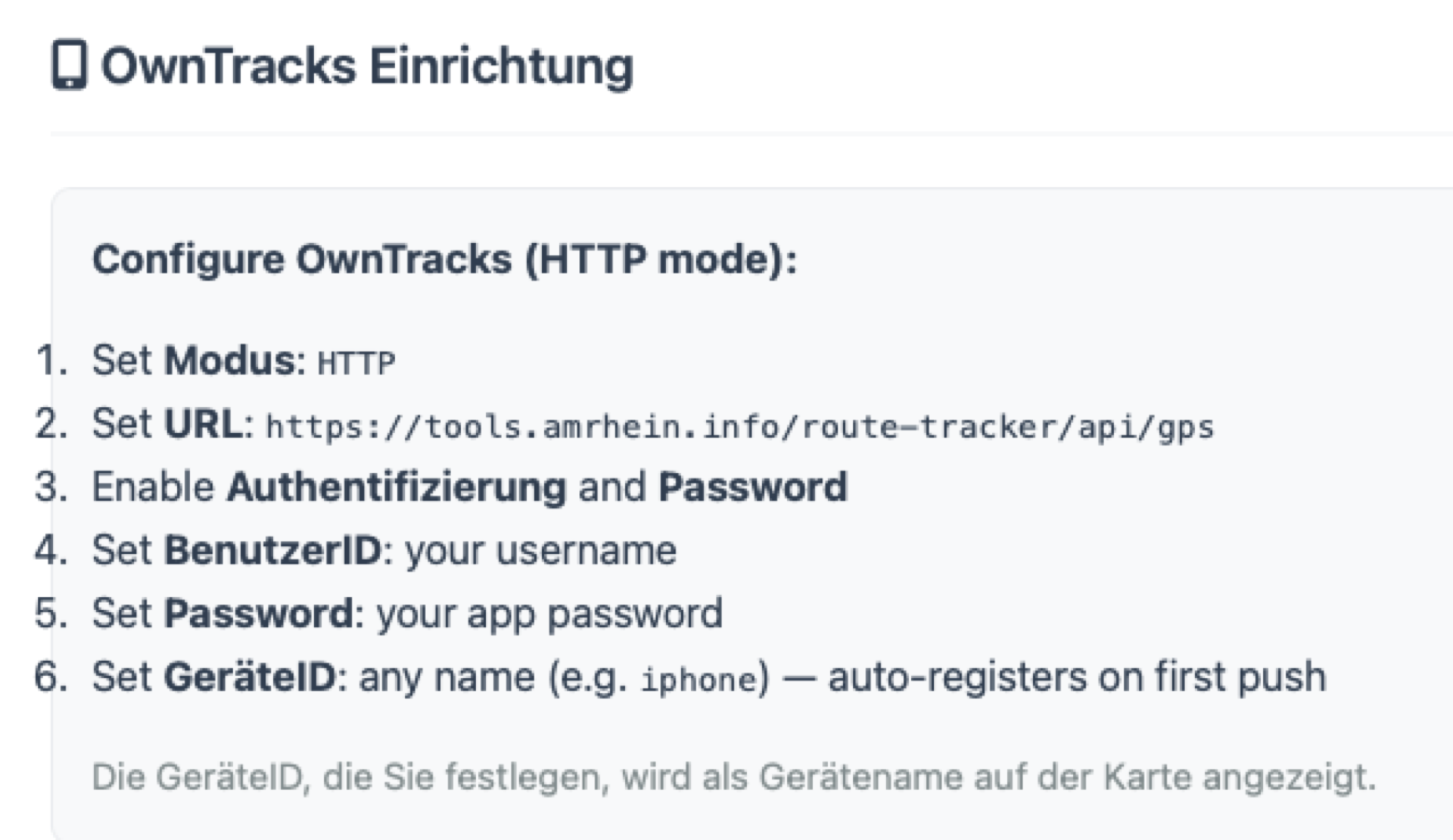
At the bottom of the page you’ll find the setup details
Your username and password were sent to you by email
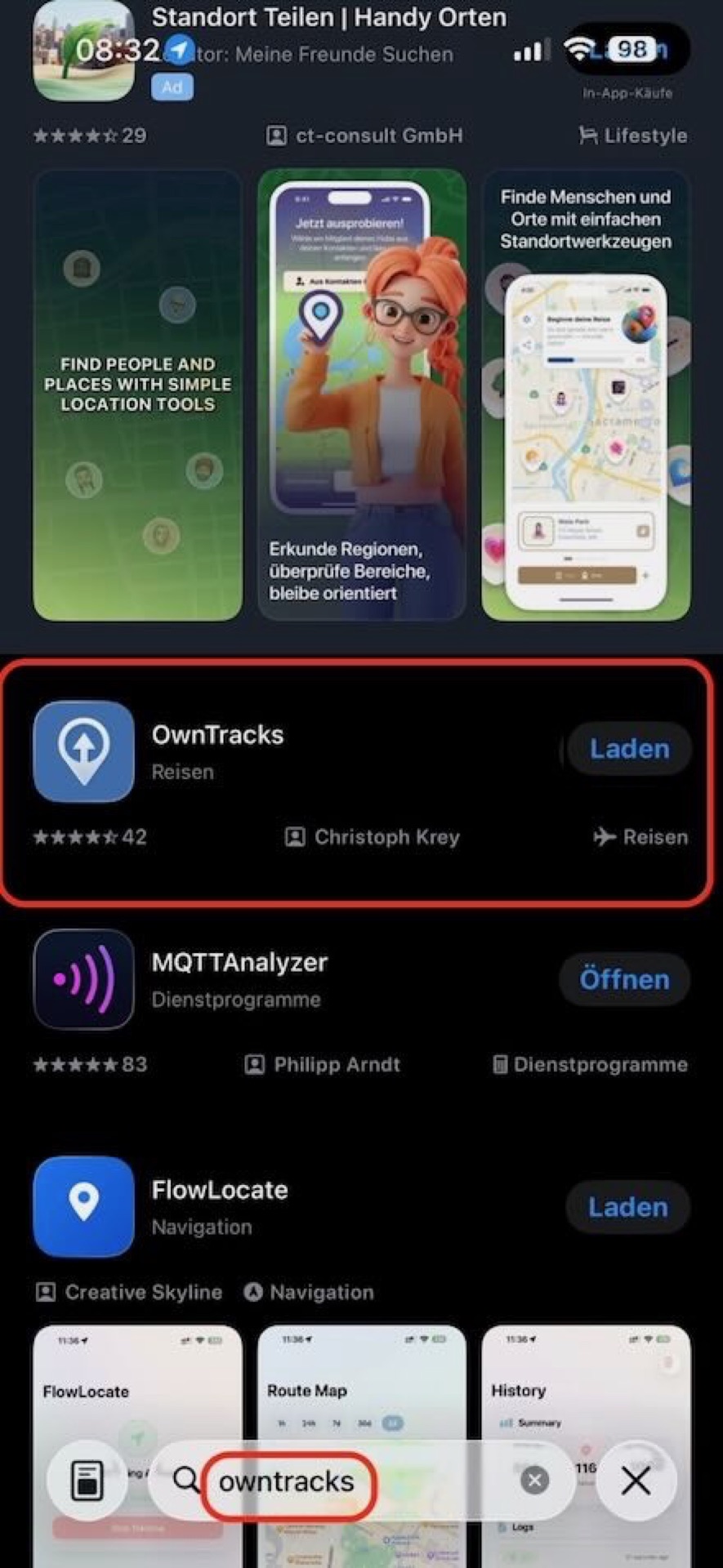
Search for the app in the App Store, download it, then open it
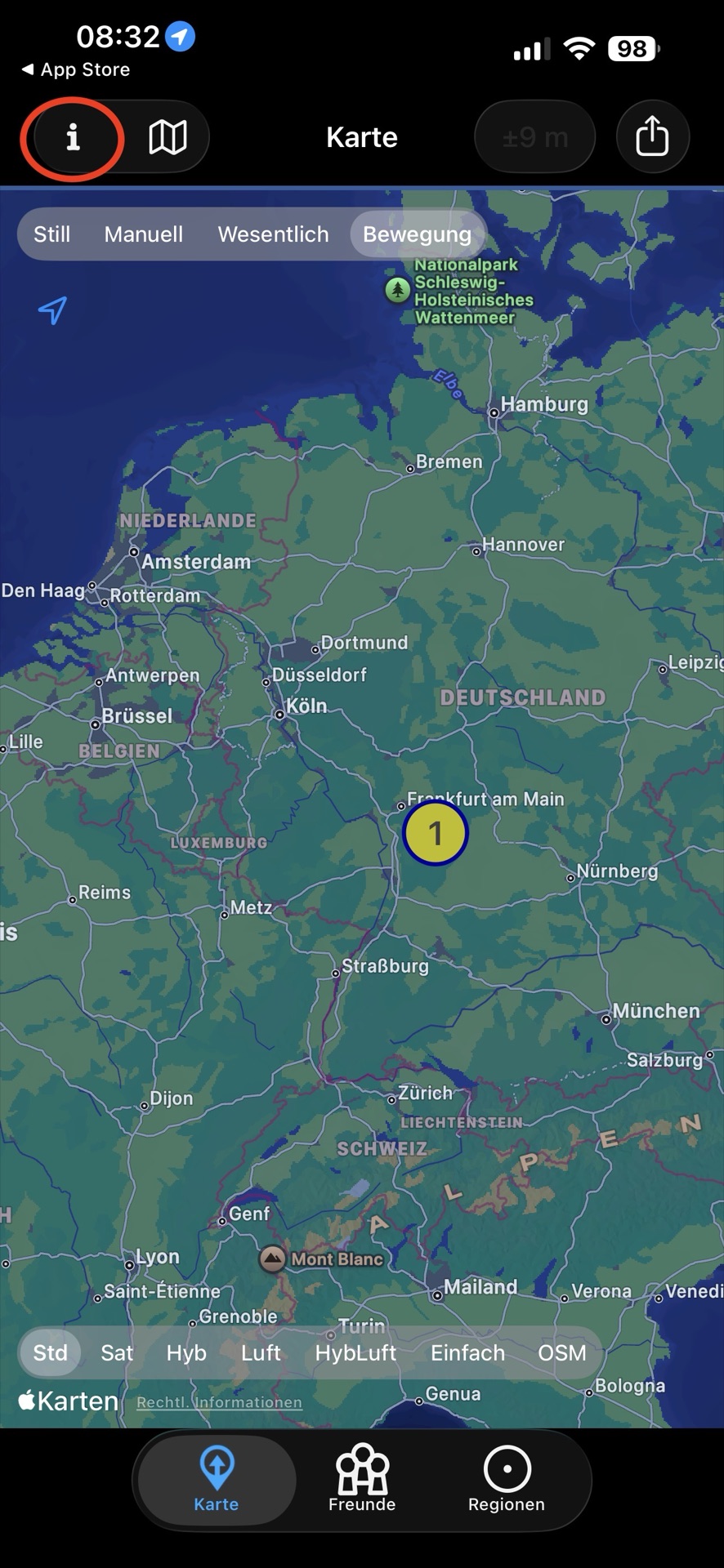
Open the info page
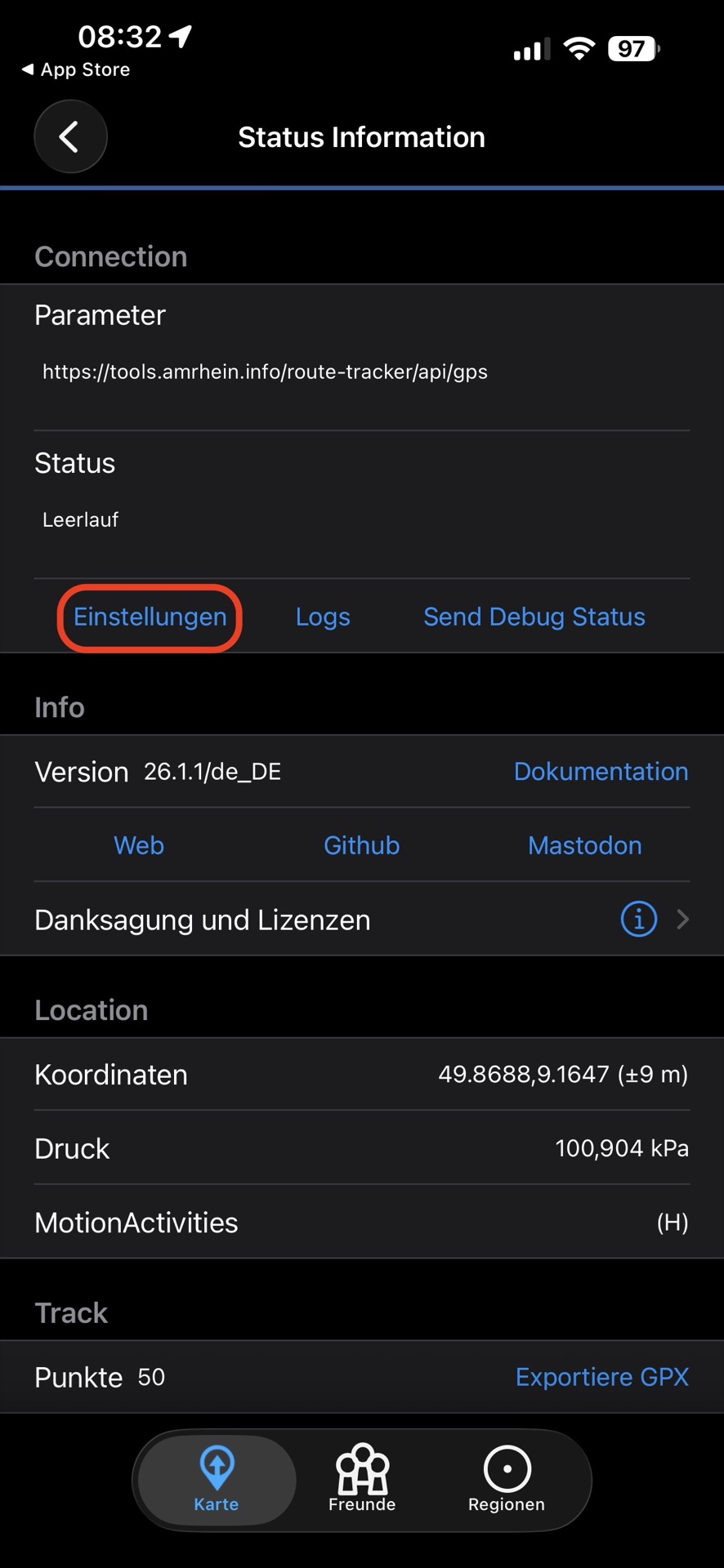
Open the settings
Enter your details
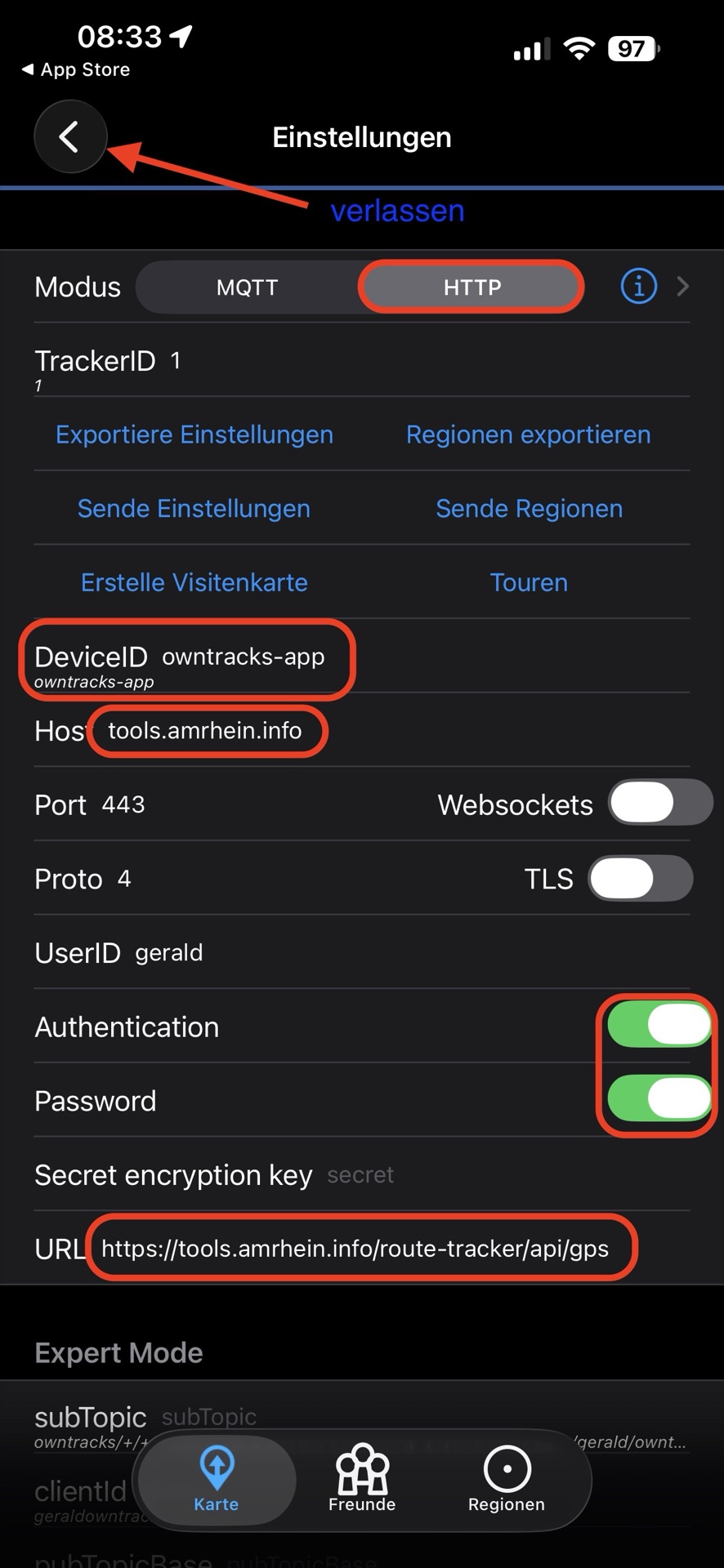
Then leave the config page using the arrow at the top left
Send an email to the admin
To do so - click the link and enter your DeviceId